Tabletopia System Requirements | Can My PC Run It?
PC requirements availability
The minimum PC specifications are incomplete in our catalogue. Available information is shown below; missing values have not been estimated.
Recorded platforms: iOS, PC, macOS
For Tabletopia, the following minimum requirement fields still need confirmation: CPU model, GPU model, system RAM with a confirmed unit, available storage, operating system. Check the exact edition and operating system before buying or upgrading hardware.
Report an official requirements source for this edition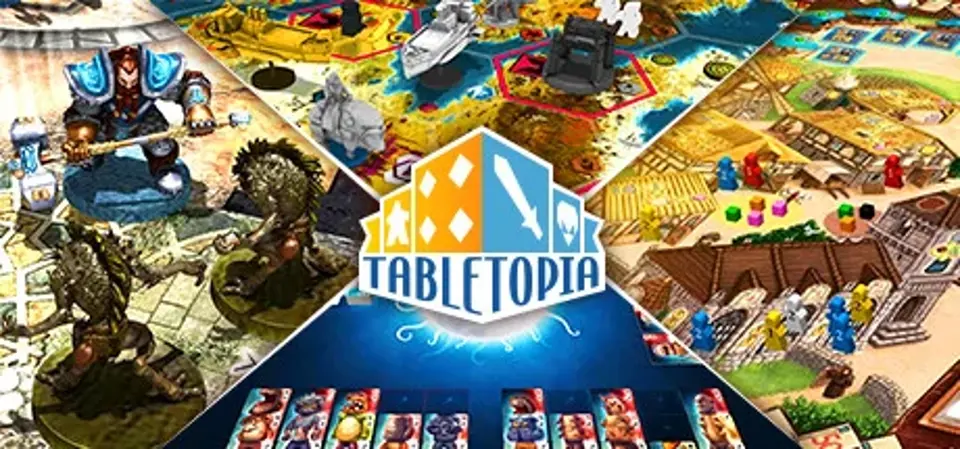
About Tabletopia
What is Tabletopia?Tabletopia is the only free-to-play sandbox virtual table with 100% licensed board games made by professionals. Already 450+ games and counting!
Play how you want with whom you want: your guests don’t need accounts to play. Enjoy the amazing graphics, realistic physiscs, and digital perks like ready setups, customizable cameras, and intuitive controls. Make your own games with no programming skills required.What does Tabletopia offer?
Choose a game from our extensive library, create a table, send the link or room number to your friends or other Tabletopians, and let the game begin. Or go to Find & Play section and join an already created table. It’s that simple!How much does it cost?Tabletopia is free-to-play on Steam. No subscriptions or recurring payments are required to play.
With free Tabletopia you can:
Premiums are available as in-app purchases for 3, 7, and 30 days in the Tabletopia client. Once your Premium expires, you are switched back to the free plan with access to all basic games and features.
With Premium Tabletopia you can:
Play how you want with whom you want: your guests don’t need accounts to play. Enjoy the amazing graphics, realistic physiscs, and digital perks like ready setups, customizable cameras, and intuitive controls. Make your own games with no programming skills required.What does Tabletopia offer?
- Advanced digital arena for playing board games in an experience almost like gathering around a real table.
- Hundreds of licensed board games, including both designer classics, recent hits, and tomorrow's Kickstarter releases.
- True cross-platform experience: available now on PC, Mac OS X, coming soon to iOS and Android devices.
- Automated game setups, shuffling and dealing of cards, tracking player turns, and many other automated features.
- Public and private game tables, matchmaking system, etc.
- Ability to create your own games with no programming knowledge required (browser version).
- Specialized tools for designing, playtesting, demonstrating, and monetizing your board games (browser version).
Choose a game from our extensive library, create a table, send the link or room number to your friends or other Tabletopians, and let the game begin. Or go to Find & Play section and join an already created table. It’s that simple!How much does it cost?Tabletopia is free-to-play on Steam. No subscriptions or recurring payments are required to play.
With free Tabletopia you can:
- Access 450+ games for free (some setups and expansions may require Premium).
- Invite your friends outside Tabletopia to play free games.
- Play up to 2 games simultaneously.
Premiums are available as in-app purchases for 3, 7, and 30 days in the Tabletopia client. Once your Premium expires, you are switched back to the free plan with access to all basic games and features.
With Premium Tabletopia you can:
- Access all games, expansions, and setups.
- Invite your friends outside Tabletopia to play any games, including premium games.
- Play up to 10 games simultaneously.
- Officially licensed games. All the games in our catalog are fully licensed and created in partnership with their designers and/or publishers. By playing our Premium games you directly support their authors.
- Free-to-play, free-to-share. Tabletopia for Steam is free-to-play with hundreds of board games available at no additional cost. All games can be shared and played with people who don't have accounts. It's free.
- Friendly interface. Tabletopia is developed by professionals with maximum usability in mind. Its friendly interface, intuitive controls, built-in tutorials will make your gaming experience smooth and easy.
- Amazing visuals. Tabletopia boasts outstanding 3D graphics and top-notch quality of all game components and visuals. It also features a flexible camera with refined controls and custom settings.
- Digital advantages. Being a sandbox system, Tabletopia still provides numerous advantages of a digital product, such as ready game setups, shuffling and dealing of cards, tracking player turns, etc. Game objects can be rotated, flipped, locked in place, magnetically placed, and decks of cards can be shuffled and dealt from at the click of a button.
Score Not confirmed
Released November 30, 2016
Developer
Publisher
Platforms
iOSPCmacOS
Tabletopia System Requirements
Minimum
- OS:
- Not confirmed
- CPU:
- Not confirmed
- GPU:
- Not confirmed
- RAM:
- Not verified
- Storage Required:
- Not verified
Recommended
- OS:
- Not confirmed
- CPU:
- Not confirmed
- GPU:
- Not confirmed
- RAM:
- Not verified
Explore games and compare your hardware
Related games
Measure performance with a repeatable test · Check SSD and installation space