Project Asteroids System Requirements (2023) | Minimum & Recommended PC Specs
Quick Hardware Summary
Project Asteroids requires at least a Intel Core i7-3770 CPU, a RTX 2060 GPU, and 8 GB RAM. For recommended settings, aim for Intel Core i7-4790K CPU and RTX 2070 GPU.
Can I Run Project Asteroids?
Enter your PC specs to instantly check compatibility
8 GB
16 GB
About Project Asteroids
I have no feelings. I have no fear. I must work. And I’m working. My modules are outdated, but as long as they are, I’m useful. My body is rusted, but as long as I can move, I’m useful. I don’t know where I am, but it doesn't matter. I know aim.
To survive.
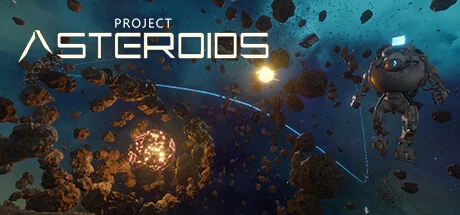
Being on an asteroid in one of hundreds of thousands of newly built star systems, use everything that will help you survive.
Explore every bit of this strange universe. Get resources, exchange them or make purchases in shops at stations.
Build bases in open space. Equip them and unlock new crafting recipes. Upgrade or replace base modules and devices.
Team up with friends or fight other players for rare resources, for a place under the light of a dying star.
To survive.
Being on an asteroid in one of hundreds of thousands of newly built star systems, use everything that will help you survive.
Explore every bit of this strange universe. Get resources, exchange them or make purchases in shops at stations.
Build bases in open space. Equip them and unlock new crafting recipes. Upgrade or replace base modules and devices.
Team up with friends or fight other players for rare resources, for a place under the light of a dying star.
Score N/A
Released 7/28/2023
Developer
Publisher
Platforms
Project Asteroids System Requirements
Minimum
- OS:
- Windows 10
- CPU:
- Intel Core i7-3770
- GPU:
- RTX 2060
- RAM:
- 8 GB
- File Size:
- 2 GB
Recommended
- OS:
- Windows 10
- CPU:
- Intel Core i7-4790K
- GPU:
- RTX 2070
- RAM:
- 16 GB
Can I run Project Asteroids on my PC?
To run Project Asteroids on PC you need at minimum a Intel Core i7-3770 processor, a RTX 2060 graphics card, and 8 GB of RAM running on Windows 10. For the best experience at recommended settings, upgrade to a Intel Core i7-4790K CPU and RTX 2070 GPU.
What GPU do I need to run Project Asteroids?
The minimum GPU required to run Project Asteroids is the RTX 2060. For smooth gameplay at high graphics settings, a RTX 2070 is recommended.
How much RAM does Project Asteroids require?
Project Asteroids requires a minimum of 8 GB RAM. For the recommended experience, 16 GB of RAM is suggested.
How to check if your PC can run Project Asteroids
- Check your CPU: Compare your processor against the minimum requirement: Intel Core i7-3770.
- Check your GPU: Your graphics card should meet or exceed: RTX 2060.
- Check your RAM: You need at least 8 GB of RAM installed.
- Check storage: Ensure you have at least 2 GB of free disk space.
- Use our tool above: Select your RAM in the "Can I Run It?" box to get an instant result.