Plumber 3D System Requirements (2023) | Minimum & Recommended PC Specs
Quick Hardware Summary
Plumber 3D requires at least a AMD Athlon II x2 CPU, a NVIDIA GeForce 9800 GT GPU, and 2 GB RAM. For recommended settings, aim for powerful CPU and high-end GPU.
Can I Run Plumber 3D?
Enter your PC specs to instantly check compatibility
2 GB
N/A
About Plumber 3D
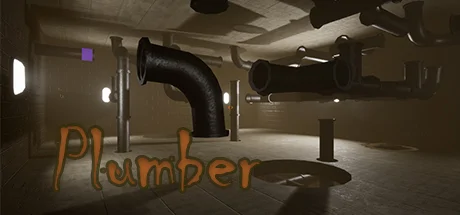
Plumber 3D is the only game with realistic plumbing physics. It includes a very relaxing environment and sounds in levels where you will have to apply all the logic possible to achieve the objectives set.
This video game is designed for the general public, it contains more than 30 normal Plumber levels with a lot of logic applied and about 15 attractive, relaxing and entertaining unlockable levels.
WE ARE AWARE OF THE COMMENTS, we hope you like it.
This video game is designed for the general public, it contains more than 30 normal Plumber levels with a lot of logic applied and about 15 attractive, relaxing and entertaining unlockable levels.
WE ARE AWARE OF THE COMMENTS, we hope you like it.
Score N/A
Released 4/25/2023
Genres
Developer
Publisher
Plumber 3D System Requirements
Minimum
- OS:
- Windows 7
- CPU:
- AMD Athlon II x2
- GPU:
- NVIDIA GeForce 9800 GT
- RAM:
- 2 GB
- File Size:
- 2 GB
Recommended
- OS:
- -
- CPU:
- Not specified
- GPU:
- Not specified
- RAM:
- Not specified
Can I run Plumber 3D on my PC?
To run Plumber 3D on PC you need at minimum a AMD Athlon II x2 processor, a NVIDIA GeForce 9800 GT graphics card, and 2 GB of RAM running on Windows 7. For the best experience at recommended settings, upgrade to a Not specified CPU and Not specified GPU.
What GPU do I need to run Plumber 3D?
The minimum GPU required to run Plumber 3D is the NVIDIA GeForce 9800 GT. For smooth gameplay at high graphics settings, a Not specified is recommended.
How much RAM does Plumber 3D require?
Plumber 3D requires a minimum of 2 GB RAM. For the recommended experience, Not specified of RAM is suggested.
How to check if your PC can run Plumber 3D
- Check your CPU: Compare your processor against the minimum requirement: AMD Athlon II x2.
- Check your GPU: Your graphics card should meet or exceed: NVIDIA GeForce 9800 GT.
- Check your RAM: You need at least 2 GB of RAM installed.
- Check storage: Ensure you have at least 2 GB of free disk space.
- Use our tool above: Select your RAM in the "Can I Run It?" box to get an instant result.