Planet S System Requirements (2022) | Minimum & Recommended PC Specs
Quick Hardware Summary
Planet S requires at least a Intel Core i3-6100 CPU, a NVIDIA GTX 750 Ti, AMD Radeon R7 260X GPU, and 6 GB RAM. For recommended settings, aim for Intel Core i5-8400 CPU and NVIDIA GTX 1060, AMD Radeon RX 480 GPU.
Can I Run Planet S?
Enter your PC specs to instantly check compatibility
About Planet S
While the basic game is playable, many of the features we have planned are not yet implemented. You can look on our Roadmap above to see what we are planning for the future.
Procedual planets
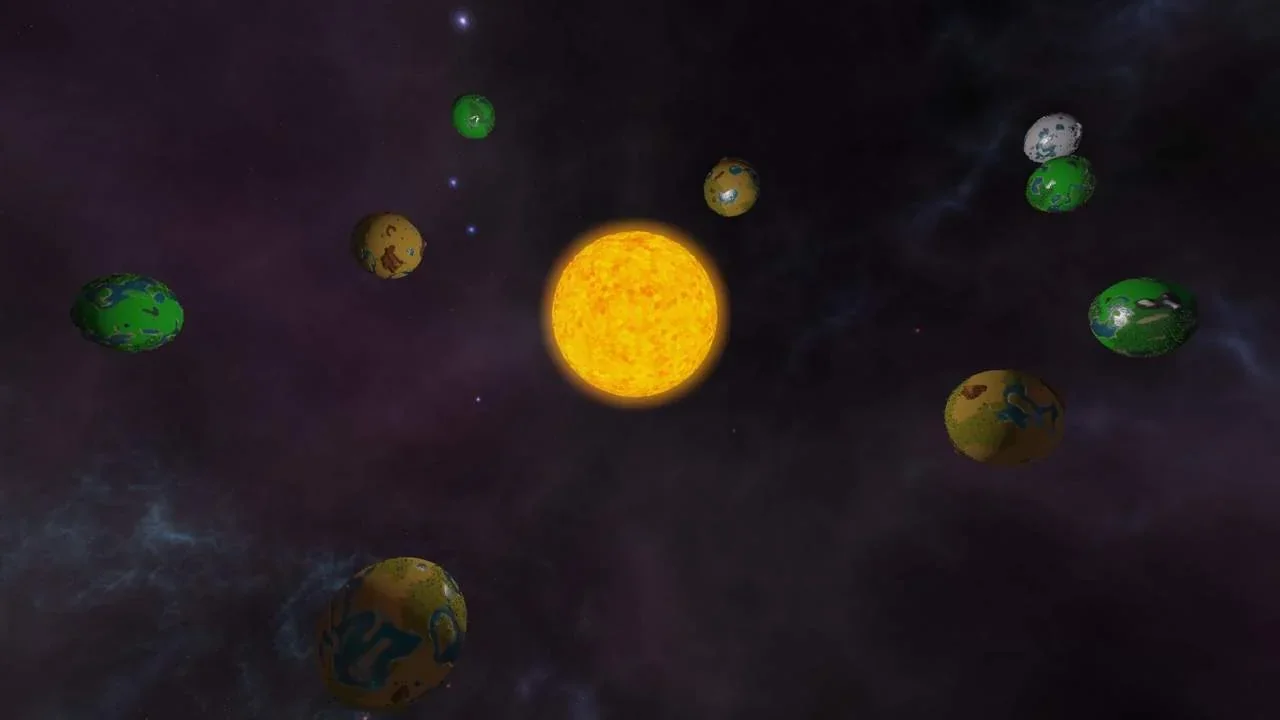
The world consists of up to 14 procedually generated planets which you can colonize. A planets type affects things like the appearance, the farm productivity and the kind of resources you can find on it. Every player starts the game with a spaceship and enough materials to colonize their first planet. Uncolonized planets can be claimed by building a spaceport on it. Once you claimed a planet, you can integrate it into your economy!Build your civilization
To advance your faction and unlock new buildings you need to attract residents and provide them the goods they require. By gaining more and more residents, you will unlock new production chains which will increase in complexity. At some point, your first planet won't be able to supply you with the resources you need, so you need to expand to other planets.Choose your path
While you start your population with workers, you need to make a decision when you advance to the second tier. You can upgrade your residents to the science or military civilization type. You can adjust the direction in an adjacent city center. Your decision will determine your path for the game and set a focus on either a more peacefully or a violent way of playing and winning the game. It may be rational to carefully consider your decision and adapt to the situation you are in.Our plan is that residents of a civilization type generate science or military research points, which you can invest into research. The two research trees will unlock bonuses and unique buildings for the corresponding civilization type. Through that, the game experience will rely heavily on the path you select.
Multiplayer
You can start into a game alone or with up to three friends!At the moment, there are no direct multiplayer interactions implemented. We plan to add diplomatic and military interactions, which will make it interesting to play with multiple players. Combined with the possibility to select a unique way of playing the game, every match will differentiate from another.
Planet S System Requirements
Minimum
- OS:
- Windows 10
- CPU:
- Intel Core i3-6100
- GPU:
- NVIDIA GTX 750 Ti, AMD Radeon R7 260X
- RAM:
- 6 GB
- File Size:
- 1 GB
Recommended
- OS:
- Windows 10
- CPU:
- Intel Core i5-8400
- GPU:
- NVIDIA GTX 1060, AMD Radeon RX 480
- RAM:
- 8 GB
Can I run Planet S on my PC?
To run Planet S on PC you need at minimum a Intel Core i3-6100 processor, a NVIDIA GTX 750 Ti, AMD Radeon R7 260X graphics card, and 6 GB of RAM running on Windows 10. For the best experience at recommended settings, upgrade to a Intel Core i5-8400 CPU and NVIDIA GTX 1060, AMD Radeon RX 480 GPU.
What GPU do I need to run Planet S?
The minimum GPU required to run Planet S is the NVIDIA GTX 750 Ti, AMD Radeon R7 260X. For smooth gameplay at high graphics settings, a NVIDIA GTX 1060, AMD Radeon RX 480 is recommended.
How much RAM does Planet S require?
Planet S requires a minimum of 6 GB RAM. For the recommended experience, 8 GB of RAM is suggested.
How to check if your PC can run Planet S
- Check your CPU: Compare your processor against the minimum requirement: Intel Core i3-6100.
- Check your GPU: Your graphics card should meet or exceed: NVIDIA GTX 750 Ti, AMD Radeon R7 260X.
- Check your RAM: You need at least 6 GB of RAM installed.
- Check storage: Ensure you have at least 1 GB of free disk space.
- Use our tool above: Select your RAM in the "Can I Run It?" box to get an instant result.