Planet Cube: Edge System Requirements | Can My PC Run It?
Requirements status: Partial. Catalogue data; source review incomplete
Quick Hardware Summary
Planet Cube: Edge requires at least Intel Core i3-6100 / AMD Athlon X4 880K CPU, Intel HD 4000 GPU, and 2 GB RAM. For recommended settings, aim for Not confirmed CPU and Not confirmed GPU.
About Planet Cube: Edge
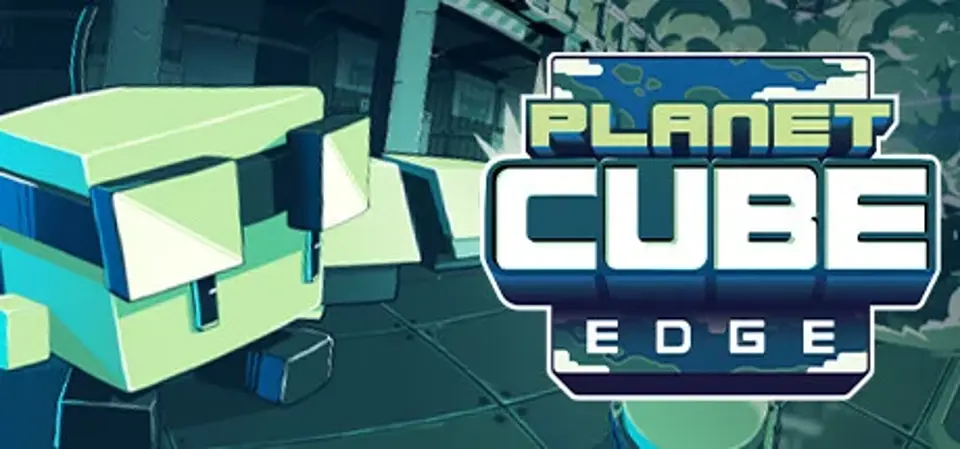
Planet Cube is being invaded by a mysterious aggressor, and its populace are not ready for a fight. While most cubes run to the nearest exit, one square-headed lab technician named Edge finds it in himself to save the world. Of course, he'll have a little help from co-workers and the illustrious Dr Quadratus, as well as some experimental weapons...
But why is the planet being invaded? Who is the invading force? The answers will become clear as our hero makes his way through an underwater science complex with danger at every turn!
Run, gun, jump and dash through an underwater science complex, collecting fire-power to turn the tables on mysterious aggressors.
This is high-speed, high-skill platforming action, where quick responses and unlimited respawns will see you battle through hordes of invading enemies, dodging hazards and avoiding traps in a bid to save this world.
Set across eight, beautifully hand-crafted pixel art levels, and filled with quirky and memorable characters, Planet Cube: Edge is a fun, run and gun platformer filled with challenge and replayability.
A pixel-art lover's dream, this two-tone underwater side of the Planet Cube has been crafted with meticulous care. From the distant seascapes of the ocean floor, to smallest details of the science facility, every pixel has been placed with the utmost attention to detail.
This is a world of expressive and characterful cubes, invaded by a race of highly imaginative enemies with an arsenal that ranges from crusher-tanks to massive mechanical crabs.
But more than just pixels, prepare for fluid animations with a cinematic heart, where the gravitas of the story is skilfully offset with a light-hearted delivery, bringing smiles and feel-good moments at every step in the adventure.
Planet Cube: Edge includes:
But why is the planet being invaded? Who is the invading force? The answers will become clear as our hero makes his way through an underwater science complex with danger at every turn!
Run, gun, jump and dash through an underwater science complex, collecting fire-power to turn the tables on mysterious aggressors.
This is high-speed, high-skill platforming action, where quick responses and unlimited respawns will see you battle through hordes of invading enemies, dodging hazards and avoiding traps in a bid to save this world.
Set across eight, beautifully hand-crafted pixel art levels, and filled with quirky and memorable characters, Planet Cube: Edge is a fun, run and gun platformer filled with challenge and replayability.
A pixel-art lover's dream, this two-tone underwater side of the Planet Cube has been crafted with meticulous care. From the distant seascapes of the ocean floor, to smallest details of the science facility, every pixel has been placed with the utmost attention to detail.
This is a world of expressive and characterful cubes, invaded by a race of highly imaginative enemies with an arsenal that ranges from crusher-tanks to massive mechanical crabs.
But more than just pixels, prepare for fluid animations with a cinematic heart, where the gravitas of the story is skilfully offset with a light-hearted delivery, bringing smiles and feel-good moments at every step in the adventure.
Planet Cube: Edge includes:
- A Hero’s Journey: Play as Edge, an unlikely hero who is thrown into the midst of a mysterious alien invasion that threatens his homeworld.
- Precision Platforming: Easy to learn but tricky to master, the game is a fast-paced, precision platforming onslaught, where hand-tailored challenges test your skills as you run, gun and blast your way through a thrilling adventure.
- Epic Boss Fights: Four huge bosses from a totally different dimension, ready to test your skills, reflexes and determination!
- Tough but Fair: Regular checkpoints, immediate respawns and unlimited attempts provide an accessible, high-octane platforming experience.
- Level Variety: Traverse and dash through 8 highly-imaginative levels set within a high-tech underwater science complex and its surface structures, featuring submerged rooms, high-speed trains and danger-filled alien spacecraft.
- A Visual Treat: Meticulously handcrafted pixel art which is both stunning in motion, with super-fluid animations, and memorable in character design.
- Leaderboards: Battle your way to the top of the leaderboards by beating community runs.
Screenshots

Score Not confirmed
Released February 23, 2023
Developer
Publisher
Platforms
macOSPC
Planet Cube: Edge System Requirements
Minimum
- OS:
- Windows 7
- CPU:
- Intel Core i3-6100 / AMD Athlon X4 880K
- GPU:
- Intel HD 4000
- RAM:
- 2 GB
- Storage Required:
- 1200 MB
Recommended
- OS:
- Not confirmed
- CPU:
- Not confirmed
- GPU:
- Not confirmed
- RAM:
- Not verified
Explore games and compare your hardware
Hardware listed in these requirements
Related games
Measure performance with a repeatable test · Check SSD and installation space