Phobies System Requirements | Can My PC Run It?
PC requirements availability
The minimum PC specifications are incomplete in our catalogue. Available information is shown below; missing values have not been estimated.
Recorded platforms: PC, iOS, Android
For Phobies, the following minimum requirement fields still need confirmation: CPU model, GPU model. Check the exact edition and operating system before buying or upgrading hardware.
Report an official requirements source for this edition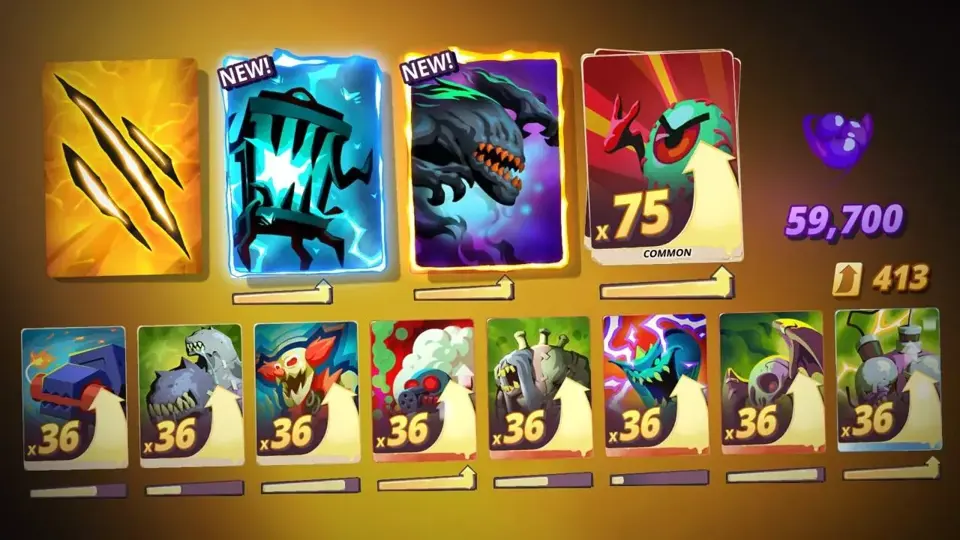
About Phobies
From the industry veterans who brought you Company of Heroes and Age of Empires: Castle Siege, comes Phobies, Smoking Gun Interactive's new terrifying collectible card game! Summon your worst fears and use their abilities to seize control of perilous environments. Wield a masterful strategy and outsmart all players who dare challenge you in an asynchronous battle and arena.
Collect over 120 powerful and mischievous Phobies inspired by your most irrational fears. Evolve your strategies as you unlock new fears and abilities. Level up your Phobies to give them an added edge in battle.
Watch your fears come to life in the whimsical world inspired by your subconscious. Traverse hazardous tiles and use the environment to stem the tide in your favor.
Unlock weekly and seasonal rewards while ascending the Mount Ego leaderboards.
Play solo challenge modes, battle your friends, or faceoff against millions of players worldwide! Join the community of fellow Phobie enthusiasts, eager to unlock their deepest fears.
Are you brave enough to face your fears?
FEATURES:
COLLECT FEARSOME PHOBIES: Overpower your opponents by unlocking and upgrading your favorite Phobies. With an army of terrifying Phobies at your beck and call you are sure to win any battle.
MASTER TACTICAL GAMEPLAY: Plan your strategy around hex-based environments. Utilize tactical positioning across spine-chilling terrains to gain an upper hand on your opponents.
REFINE YOUR STRATEGY: Utilize the practice mode to test out and further refine your strategies before using them on your unsuspecting victims.
TEST YOUR WITS IN CHALLENGE MODE: In need of a quick brainteaser? Try out the PvE challenge mode containing various puzzles and objectives to sharpen your wits.
PLAY WITH YOUR FRENEMIES: Add and duel your friends in asynchronous PvP battles. That is one way to put them in their place!
EXPERIENCE ASYNCHRONOUS BATTLE: Take your horror show to the masses by engaging in PvP battles with players worldwide. The turn-based mechanics of asynchronous battles allow players to play multiple matches simultaneously. Enjoy the never-ending terror and fun.
COMPETE IN ARENA MODE: Feeling a bit antsy with competitive tendencies? Then experience the real-time mayhem of the arena mode. Assert dominance through strategic superiority in real-time battle. Why wait when you can win?
PLAY WHEREVER YOU WANT: Take your worst fears with you wherever you go through cross-platform capabilities. Whether you prefer to dominate via PC or on the go through your mobile: play the game your way.
Screenshots

Phobies System Requirements
Minimum
- OS:
- Windows 10
- CPU:
- Not confirmed
- GPU:
- Not confirmed
- RAM:
- 1 GB
- Storage Required:
- 500 MB
Recommended
- OS:
- Not confirmed
- CPU:
- Not confirmed
- GPU:
- Not confirmed
- RAM:
- Not verified
Explore games and compare your hardware
Related games
Measure performance with a repeatable test · Check SSD and installation space