Pawperty Damage System Requirements | Can My PC Run It?
PC requirements availability
The minimum PC specifications are incomplete in our catalogue. Available information is shown below; missing values have not been estimated.
Recorded platforms: Linux, macOS, PC
For Pawperty Damage, the following minimum requirement fields still need confirmation: CPU model. Check the exact edition and operating system before buying or upgrading hardware.
Report an official requirements source for this edition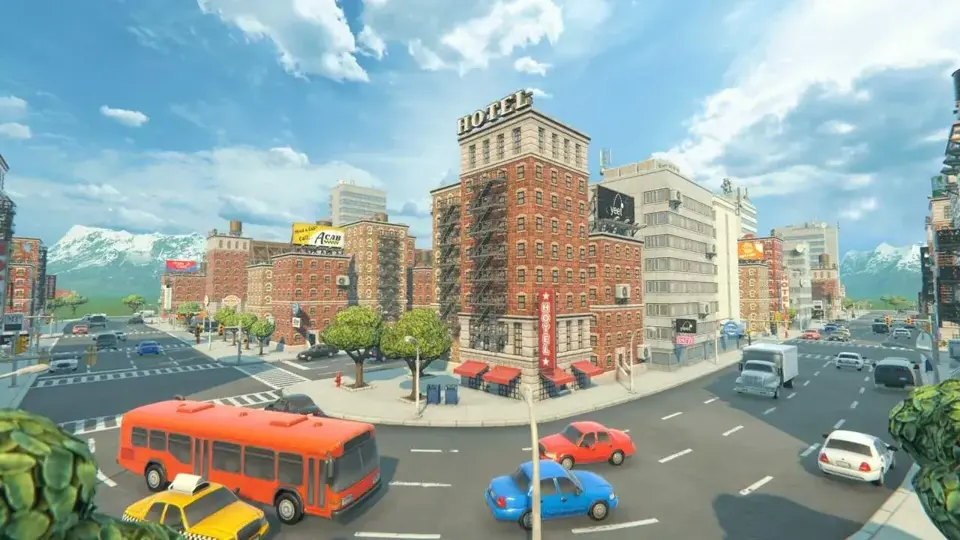
About Pawperty Damage
Oh no, you've turned into a giant and the more you destroy, the more you grow! What to do? Maybe you should find a way to shrink back to normal size... Wait, NO. This is your chance: It’s payback time!
Cause as much destruction as you can, grow as tall as possible—no one can stop you!
Cause as much destruction as you can, grow as tall as possible—no one can stop you!
Gameplay
- Destroy to grow: Smash, kick and stomp!
- Throw cars to hit far away targets
- Eat vehicles to instantly refill your stamina
- Strike VIP targets for bonus damage
- The more property damage you cause, the higher you score
- The higher you score, the bigger you grow!
Features
- Choose your look: 4 colorful characters
- One city level: Level one city.
- Rampage alone or with up to 3 friends, locally: Split Screen Player-vs-City
- Remote Play support
- Photo Mode: Enjoy the destruction in all its glory, with camera effects and slow-motion!
Thank You!
"This has been my passion project for the past 2.5 years, developed entirely in my spare time. Pawperty Damage is a small game for big players, but a big game for a small developer! I want to thank my friends and all the wonderful people who have helped and supported me—hope you enjoy!" -Marig (Dare Looks)Screenshots

Additional requirement details
Minimum requirement notes
Local co-op will require one or more game controllers
Score Not confirmed
Released May 23, 2023
Developer
Publisher
Platforms
LinuxmacOSPC
Pawperty Damage System Requirements
Minimum
- OS:
- Windows 10
- CPU:
- Not confirmed
- GPU:
- NVIDIA GTX 1050
- RAM:
- 4 GB
- Storage Required:
- 1000 MB
Recommended
- OS:
- Windows 11
- CPU:
- Not confirmed
- GPU:
- NVIDIA GTX 1070
- RAM:
- 8 GB
Explore games and compare your hardware
Related games
Measure performance with a repeatable test · Check SSD and installation space