Kujlevka System Requirements | Can My PC Run It?
PC requirements availability
The minimum PC specifications are incomplete in our catalogue. Available information is shown below; missing values have not been estimated.
Recorded platforms: Linux, PC
For Kujlevka, the following minimum requirement fields still need confirmation: CPU model, system RAM with a confirmed unit, available storage. Check the exact edition and operating system before buying or upgrading hardware.
The imported RAM amount is inconsistent or has no confirmed unit. It is excluded from compatibility conclusions; no replacement amount is assumed.
Report an official requirements source for this edition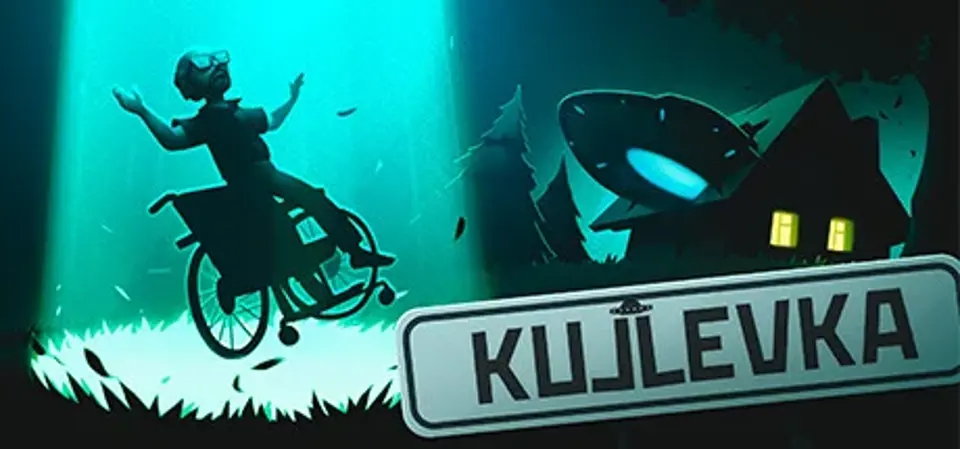
About Kujlevka
Russia, 1992. The ordinary village of Kujlevka is no stranger to challenging times. In this dark and otherworldly period of Russian history, the current financial crisis and rising crime rates appear bleak in comparison. And when a flying saucer crashes into local chairman's house, it’s up to you to meet the aliens. Of all the locations on Earth, this forgotten settlement becomes a bustling center for science, exploration, and the supernatural; you’re merely the poor chap whose home became the saucer’s crash site.
Assuming the role of the collective farm’s headmaster, you must filter visitors before let them inside the UFO. These guests from outer space are in no hurry to interact with humans, they’d much rather steadily observe our species and our vast dreams and desires. What exactly might these extraterrestrial beings have planned?
This isn’t your stereotypical alien encounter. You will be tasked to learn about these otherworldly beings before they can properly study you.
Kujlevka lets you play a role in charting a course through a financially and politically turbulent time in Russian history.
Beyond static dialog and walls of text, you can explore village life in Kujlevka through a mesmerizing atmosphere of the protagonist’s dreams.
Screenshots

Kujlevka System Requirements
Minimum
- OS:
- Linux 32-bit
- CPU:
- Not confirmed
- GPU:
- DirectX® 11 compatible
- RAM:
- Not verified (catalogue unit requires review)
- Storage Required:
- 3 (unit not confirmed)
Recommended
- OS:
- Not confirmed
- CPU:
- Not confirmed
- GPU:
- Not confirmed
- RAM:
- Not verified
Explore games and compare your hardware
Related games
Measure performance with a repeatable test · Check SSD and installation space