Girl Genius: Adventures In Castle Heterodyne System Requirements | Can My PC Run It?
PC requirements availability
The minimum PC specifications are incomplete in our catalogue. Available information is shown below; missing values have not been estimated.
Recorded platforms: Linux, macOS, PC
For Girl Genius: Adventures In Castle Heterodyne, the following minimum requirement fields still need confirmation: CPU model, GPU model, system RAM with a confirmed unit. Check the exact edition and operating system before buying or upgrading hardware.
Report an official requirements source for this edition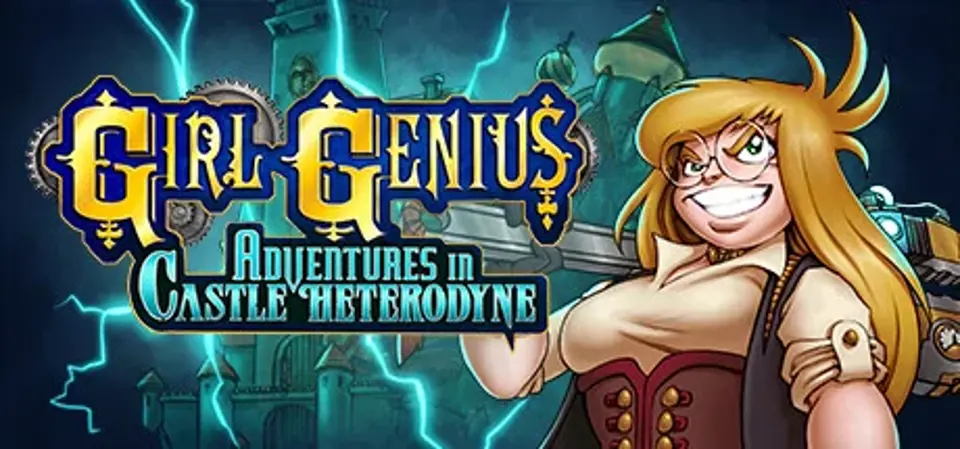
About Girl Genius: Adventures In Castle Heterodyne
ACTION, RRRRRROMANCE (pronounced like Provence) and MAD SCIENCE!
Discover the award winning, gaslamp fantasy world of “Girl Genius™”! Experience Agatha Heterodyne’s story, as she navigates the hostile hallways, catacombs and kitchens of her ancestral home, Castle Heterodyne.As the Lost Heir to a mad family, she must return the ancient fortress to its former glory and ascend the throne as a "True Heterodyne". Only then can she stand up to the might of the Wulfenbach Empire and other power hungry usurpers. But first, she has to contend with a corrupted and insane AI controlling the castle, its spiky death traps, and bottomless doom-pits. Not to mention the painfully pink cherry on top, Zola Heterodyne. Another lost child? Or just another villain here to steal your thunder.
Time to find out.
Gameplay
- Build tools like the Grapple Gun and the Wrencherang at the Workbench, and use your tools to explore and solve the castle’s challenges.
- Discover numerous sights and secrets, by being perceptive and using your tools to the fullest.
- Defeat foes in furious melee combat or with explosive gadgets, and utilize the environment to your advantage using your tools.
- Use your trusty Dingbot minion to explore places Agatha can’t reach, by moving in tight spaces, digging beneath or soaring above danger.
- Use the Dingbot to solve lock puzzles, and operate the internal machinery of the castle.
- As Agatha’s power over the castle grows, command the castle AI to release traps at your foes, and activate mechanisms.
- Use the unique “Build System”, rebuilding scrap traps into objects like the Springclank, Grappleclank and the special Rollerclank, giving the player a suite of tools for creative spatial puzzle solving.
- Interact with several of the fantastic characters from “Girl Genius™”, like Gilgamesh Wulfenbach, Tarvek Sturmvoraus and many others.
- Read the Girl Genius™ graphic novels in the game! Note! This feature is in English only.
Screenshots

Additional requirement details
Minimum requirement notes
Gnome desktop environment running on top of X11 windowing system
Score Not confirmed
Released September 4, 2023
Developer
Publisher
Platforms
LinuxmacOSPC
Girl Genius: Adventures In Castle Heterodyne System Requirements
Minimum
- OS:
- Windows 7
- CPU:
- Not confirmed
- GPU:
- Not confirmed
- RAM:
- Not verified
- Storage Required:
- 4 GB
Recommended
- OS:
- Not confirmed
- CPU:
- Not confirmed
- GPU:
- Not confirmed
- RAM:
- Not verified
Explore games and compare your hardware
Related games
Measure performance with a repeatable test · Check SSD and installation space