GearBlocks System Requirements (2023) | Minimum & Recommended PC Specs
Quick Hardware Summary
GearBlocks requires at least a capable CPU, a GeForce 900 series GPU, and 4 GB RAM. For recommended settings, aim for powerful CPU and GeForce 10 series GPU.
Can I Run GearBlocks?
Enter your PC specs to instantly check compatibility
4 GB
8 GB
About GearBlocks
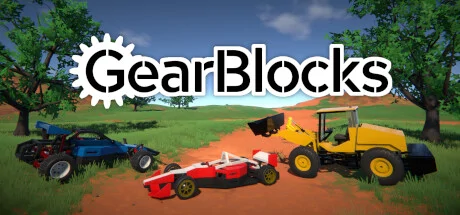
GearBlocks is an open ended sandbox game for mechanically minded builders.
You can build a car with rack and pinion steering and a working drive-train with a differential gear. Or you could make a run-and-jump parkour course with motorised bouncy platforms, or an unstoppable walking mechanical elephant. The only limit is your imagination...and physics.
You can build a car with rack and pinion steering and a working drive-train with a differential gear. Or you could make a run-and-jump parkour course with motorised bouncy platforms, or an unstoppable walking mechanical elephant. The only limit is your imagination...and physics.
Create
Build or repair your creations anywhere on the map. Snap parts together, resize them, change their materials, paint them, and link their behaviours together. Choose from over 200 parts, including functional mechanical elements such as motors, gears, pulleys, joints, springs, actuators, and much more.Interact
Turn, grab and shove your machines and watch the parts physically interact. Jump into the driver's seat and put your vehicles through their paces. Crash and smash your constructions to smithereens.Improve
Learn how to build with the in-game tutorial scenario. Explore the example constructions to see how they’re put together. Test your builds in the included challenge scenarios.Customise
Make rag-dolls from body parts and use them as your custom player character. Mod the game with Lua scripting to create your own custom tools, scenarios, challenges and mini-games.Share
Share your creations with the community, try out what others have made, and maybe learn a new building trick or two along the way! Score N/A
Released 11/9/2023
Genres
Developer
Publisher
Platforms
GearBlocks System Requirements
Minimum
- OS:
- Windows 7
- CPU:
- Not specified
- GPU:
- GeForce 900 series
- RAM:
- 4 GB
- File Size:
- 2 GB
Recommended
- OS:
- Windows 10
- CPU:
- Not specified
- GPU:
- GeForce 10 series
- RAM:
- 8 GB
Can I run GearBlocks on my PC?
To run GearBlocks on PC you need at minimum a Not specified processor, a GeForce 900 series graphics card, and 4 GB of RAM running on Windows 7. For the best experience at recommended settings, upgrade to a Not specified CPU and GeForce 10 series GPU.
What GPU do I need to run GearBlocks?
The minimum GPU required to run GearBlocks is the GeForce 900 series. For smooth gameplay at high graphics settings, a GeForce 10 series is recommended.
How much RAM does GearBlocks require?
GearBlocks requires a minimum of 4 GB RAM. For the recommended experience, 8 GB of RAM is suggested.
How to check if your PC can run GearBlocks
- Check your CPU: Compare your processor against the minimum requirement: Not specified.
- Check your GPU: Your graphics card should meet or exceed: GeForce 900 series.
- Check your RAM: You need at least 4 GB of RAM installed.
- Check storage: Ensure you have at least 2 GB of free disk space.
- Use our tool above: Select your RAM in the "Can I Run It?" box to get an instant result.