Euro Fishing System Requirements | Can My PC Run It?
PC requirements availability
The minimum PC specifications are incomplete in our catalogue. Available information is shown below; missing values have not been estimated.
Recorded platforms: PlayStation 4, Xbox One, PC
For Euro Fishing, the following minimum requirement fields still need confirmation: CPU model, GPU model, system RAM with a confirmed unit, available storage, operating system. Check the exact edition and operating system before buying or upgrading hardware.
Report an official requirements source for this edition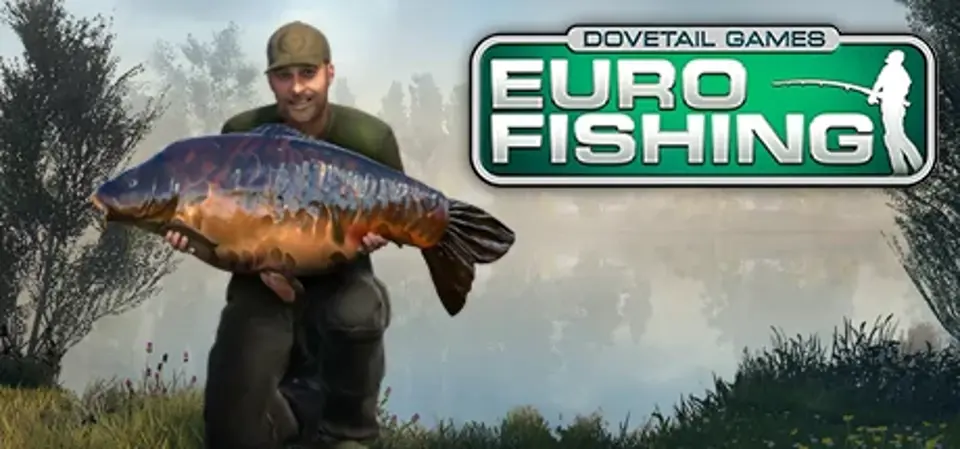
About Euro Fishing
Now With Basic Cast Control and Float Fishing
Euro Fishing immerses you deep into the adrenaline-packed action, fun and beauty of Europe’s most famous lakes. Master your rod, line and tactics, and refine your technique to become a top angler. This is the closest you can get to real fishing from the comfort of your own sofa. Welcome to the Great Indoors!
Whether you’re a fishing beginner or angling pro, Euro Fishing accurately and authentically replicates the feeling of actual fishing using our unique physics-based casting and reeling system, ‘Total Cast Control’.
Start by learning the basics of casting with in-game tutorials, or dive straight into one of the five unique European locations included, such as Digger Lakes and the famous St John’s Lake at Linear Fisheries, each posing their own unique challenge to land the big catch.
Using advanced AI and customisable environment effects, fish respond to water temperature, time of day, weather conditions and baits as they do in real life. Spot fish ‘shows’ before casting into the right area from a pre-set peg or the lake bank, and customise your angling equipment for the best chance of landing a catch.
In Euro Fishing, you can fish by yourself, or compete against friends and opponents in single player or hosted multiplayer tournaments, tracking and comparing catches in real time.
Euro Fishing – Cast, Catch, Compete!
Basic Cast Control
An entry level (power bar style) casting system for new users to experience the game before trying to master "Total Cast Control"
Total Cast Control
A full physics based casting system. For the first time in a fishing game, experience the feeling of casting with real fishing rods from your own PC.
Intelligent Fish AI
The battle of wits between fish and angler come to life with intelligent AI
Competition and Tournaments
Challenge your friends in a multiplayer tournament and compare catches in real time, or compete against AI in our hosted tournaments
Stunning Locations
Five unique European venues await every fisherman, including real venues such as Digger Lakes and the famous St John’s Lake at Linear Fisheries, all recreated in magnificent detail
Dynamic Weather and Time of Day
Set weather conditions to reflect real world settings or create your own preferences to affect how fish behave
Tackle Box
Select the right angling equipment for the best chance of landing the big catch; choose from a wide range of rods, reels, rigs and bait in thousands of possible combinations
Watercraft
Read the water and its features, predict what the fish are going to be doing and cast from the bank or a peg for the best chance of a catch
Full Steam Controller Support
Immerse yourself in Euro Fishing with the new Steam Controller, now with full integration
Cutting Edge Technology
Using the latest Unreal Engine 4 graphics technology, Euro Fishing looks and feels as close to the real thing
Created by Experts
Working with carp angling experts, including Korda and Simon Scott, Euro Fishing replicates the experience of real fishing
Euro Fishing immerses you deep into the adrenaline-packed action, fun and beauty of Europe’s most famous lakes. Master your rod, line and tactics, and refine your technique to become a top angler. This is the closest you can get to real fishing from the comfort of your own sofa. Welcome to the Great Indoors!
Whether you’re a fishing beginner or angling pro, Euro Fishing accurately and authentically replicates the feeling of actual fishing using our unique physics-based casting and reeling system, ‘Total Cast Control’.
Start by learning the basics of casting with in-game tutorials, or dive straight into one of the five unique European locations included, such as Digger Lakes and the famous St John’s Lake at Linear Fisheries, each posing their own unique challenge to land the big catch.
Using advanced AI and customisable environment effects, fish respond to water temperature, time of day, weather conditions and baits as they do in real life. Spot fish ‘shows’ before casting into the right area from a pre-set peg or the lake bank, and customise your angling equipment for the best chance of landing a catch.
In Euro Fishing, you can fish by yourself, or compete against friends and opponents in single player or hosted multiplayer tournaments, tracking and comparing catches in real time.
Euro Fishing – Cast, Catch, Compete!
Basic Cast Control
An entry level (power bar style) casting system for new users to experience the game before trying to master "Total Cast Control"
Total Cast Control
A full physics based casting system. For the first time in a fishing game, experience the feeling of casting with real fishing rods from your own PC.
Intelligent Fish AI
The battle of wits between fish and angler come to life with intelligent AI
Competition and Tournaments
Challenge your friends in a multiplayer tournament and compare catches in real time, or compete against AI in our hosted tournaments
Stunning Locations
Five unique European venues await every fisherman, including real venues such as Digger Lakes and the famous St John’s Lake at Linear Fisheries, all recreated in magnificent detail
Dynamic Weather and Time of Day
Set weather conditions to reflect real world settings or create your own preferences to affect how fish behave
Tackle Box
Select the right angling equipment for the best chance of landing the big catch; choose from a wide range of rods, reels, rigs and bait in thousands of possible combinations
Watercraft
Read the water and its features, predict what the fish are going to be doing and cast from the bank or a peg for the best chance of a catch
Full Steam Controller Support
Immerse yourself in Euro Fishing with the new Steam Controller, now with full integration
Cutting Edge Technology
Using the latest Unreal Engine 4 graphics technology, Euro Fishing looks and feels as close to the real thing
Created by Experts
Working with carp angling experts, including Korda and Simon Scott, Euro Fishing replicates the experience of real fishing
Score Not confirmed
Released November 2, 2015
Genres
Developer
Publisher
Platforms
PlayStation 4Xbox OnePC
Euro Fishing System Requirements
Minimum
- OS:
- Not confirmed
- CPU:
- Not confirmed
- GPU:
- Not confirmed
- RAM:
- Not verified
- Storage Required:
- Not verified
Recommended
- OS:
- Not confirmed
- CPU:
- Not confirmed
- GPU:
- Not confirmed
- RAM:
- Not verified
Explore games and compare your hardware
Related games
Measure performance with a repeatable test · Check SSD and installation space