Enigmatis 3: The Shadow of Karkhala System Requirements | Can My PC Run It?
PC requirements availability
The minimum PC specifications are incomplete in our catalogue. Available information is shown below; missing values have not been estimated.
Recorded platforms: PlayStation 4, Xbox One, Linux, PC, iOS, Android, macOS
For Enigmatis 3: The Shadow of Karkhala, the following minimum requirement fields still need confirmation: CPU model, GPU model, system RAM with a confirmed unit, available storage, operating system. Check the exact edition and operating system before buying or upgrading hardware.
Report an official requirements source for this edition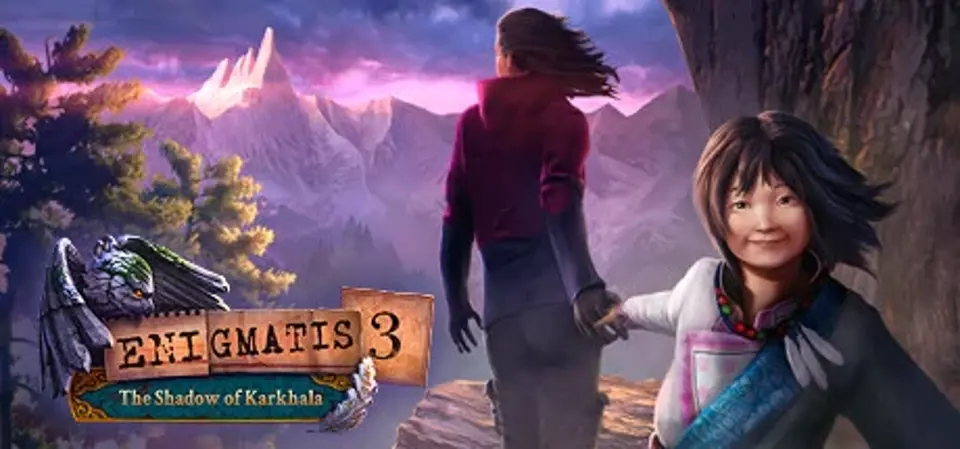
About Enigmatis 3: The Shadow of Karkhala
What secrets does the ancient monastery hold, high on its snow-covered mountain slope? What has brought the demonic Preacher here, and can anyone stop him now that he is more powerful than ever?
Play the enthralling hidden object puzzle adventure game from the creators of Grim Legends!
Enigmatis 3: The Shadow of Karkhala is the final chapter in the blockbuster trilogy: an exciting detective story rife with adventure, puzzles, and ancient mystery.
The ultimate hidden object adventure begins!
The demonic preacher has escaped to the remotest mountains in pursuit of a grim secret that could give him ultimate power. He has already eluded the investigation of the protagonist detective and her partner Hamilton twice: once in Maple Creek, and again in Ravenwood. It’s no mystery that this time it’s personal.
43 hand-drawn locations full of HO scenes!
After returning to Maple Creek and uncovering new evidence about the preacher’s enigmatic plan, the two detectives set out in search of a centuries-old monastery hidden high in the breathtaking mountains where the immortal preacher’s lifelong quest for world domination could finally meet its sinister end.
Exciting 25 mini games and puzzles set in the Karakorum Mountains!
What is hiding in the ancient monastery that clings to upper reaches of the snow-covered mountain? What nightmarish secret is the preacher looking for there?
Fantastic detective story rich in eerie mysteries!
Drawn into this ancient struggle between the forces of light and darkness, the detective must defeat the ominous preacher at any cost. Will they even be able to stop him now that he’s more powerful than ever before?
More mini games and puzzles in the bonus adventure!
Play the Blood on the Snow prequel to the main game for more storylines and even more mysteries and hidden object scenes!
Features
Play the enthralling hidden object puzzle adventure game from the creators of Grim Legends!
Enigmatis 3: The Shadow of Karkhala is the final chapter in the blockbuster trilogy: an exciting detective story rife with adventure, puzzles, and ancient mystery.
The ultimate hidden object adventure begins!
The demonic preacher has escaped to the remotest mountains in pursuit of a grim secret that could give him ultimate power. He has already eluded the investigation of the protagonist detective and her partner Hamilton twice: once in Maple Creek, and again in Ravenwood. It’s no mystery that this time it’s personal.
43 hand-drawn locations full of HO scenes!
After returning to Maple Creek and uncovering new evidence about the preacher’s enigmatic plan, the two detectives set out in search of a centuries-old monastery hidden high in the breathtaking mountains where the immortal preacher’s lifelong quest for world domination could finally meet its sinister end.
Exciting 25 mini games and puzzles set in the Karakorum Mountains!
What is hiding in the ancient monastery that clings to upper reaches of the snow-covered mountain? What nightmarish secret is the preacher looking for there?
Fantastic detective story rich in eerie mysteries!
Drawn into this ancient struggle between the forces of light and darkness, the detective must defeat the ominous preacher at any cost. Will they even be able to stop him now that he’s more powerful than ever before?
More mini games and puzzles in the bonus adventure!
Play the Blood on the Snow prequel to the main game for more storylines and even more mysteries and hidden object scenes!
Features
- The ultimate hidden object adventure begins!
- 43 hand drawn locations full of Ho scenes!
- Exciting 25 mini games and puzzles set in Karakorum Mountains!
- Fantastic detective story rich in eerie mysteries!
- More mini games and puzzles in bonus adventure!
Score Not confirmed
Released August 10, 2016
Developer
Publisher
Platforms
PlayStation 4Xbox OneLinuxPCiOSAndroidmacOS
Enigmatis 3: The Shadow of Karkhala System Requirements
Minimum
- OS:
- Not confirmed
- CPU:
- Not confirmed
- GPU:
- Not confirmed
- RAM:
- Not verified
- Storage Required:
- Not verified
Recommended
- OS:
- Not confirmed
- CPU:
- Not confirmed
- GPU:
- Not confirmed
- RAM:
- Not verified
Explore games and compare your hardware
Related games
Measure performance with a repeatable test · Check SSD and installation space