Encodya System Requirements | Can My PC Run It?
PC requirements availability
The minimum PC specifications are incomplete in our catalogue. Available information is shown below; missing values have not been estimated.
Recorded platforms: Linux, macOS, PC
For Encodya, the following minimum requirement fields still need confirmation: CPU model, GPU model, system RAM with a confirmed unit, available storage, operating system. Check the exact edition and operating system before buying or upgrading hardware.
Report an official requirements source for this edition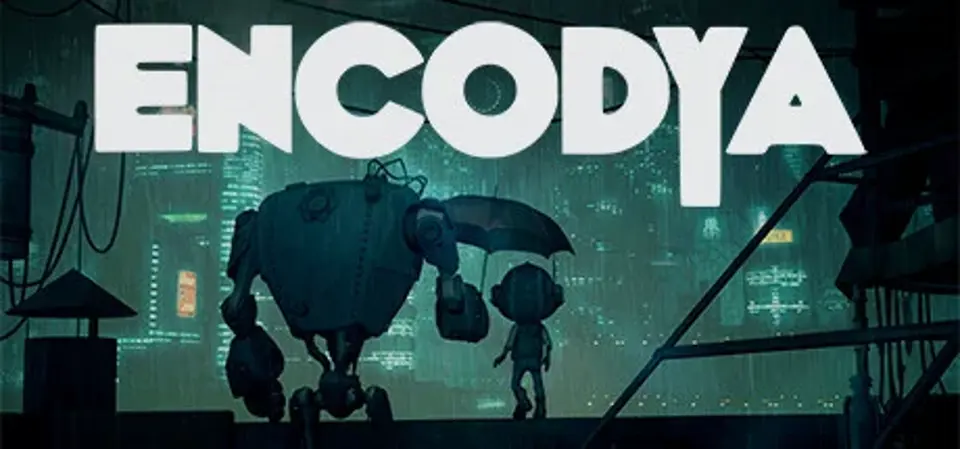
About Encodya
It’s 2062. Tina – a 9 years old orphan – lives with SAM-53 – her big clumsy robot guardian – on a rooftop makeshift shelter in Neo-Berlin, a dark megalopolis controlled by corporations. The protagonist is an urban jungle kid, which has learnt to live alone, scavenging dumpsters of the dystopian city, eking out a living of scraps. Her funny robot always with her, programmed to protect the girl no matter what.
ENCODYA is based on the award-winning short film "Robot Will Protect You".
Explore the dark cyberpunk world of ENCODYA with 2 playable characters
Over 30 non-player characters bring the world and story of ENCODYA to life
More than 50 locations in Neo-Berlin to discover and explore
Over 5000 lines of dialogue tell an immersive story
Randomization of objects and locations
Unique art and sound design
The original soundtrack creates a thrilling atmosphere
Professional dubbing actors lend their voices to the characters
Encodya System Requirements
Minimum
- OS:
- Not confirmed
- CPU:
- Not confirmed
- GPU:
- Not confirmed
- RAM:
- Not verified
- Storage Required:
- Not verified
Recommended
- OS:
- Not confirmed
- CPU:
- Not confirmed
- GPU:
- Not confirmed
- RAM:
- Not verified
Explore games and compare your hardware
Related games
Measure performance with a repeatable test · Check SSD and installation space