ELDERBORN System Requirements | Can My PC Run It?
PC requirements availability
The minimum PC specifications are incomplete in our catalogue. Available information is shown below; missing values have not been estimated.
Recorded platforms: PC
For ELDERBORN, the following minimum requirement fields still need confirmation: CPU model, GPU model, system RAM with a confirmed unit, available storage, operating system. Check the exact edition and operating system before buying or upgrading hardware.
Report an official requirements source for this edition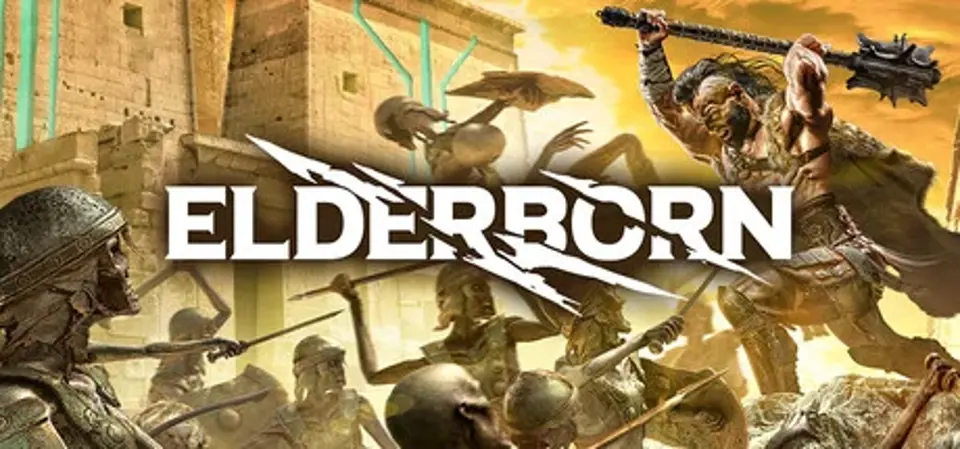
About ELDERBORN
ELDERBORN is a First Person Slasher focused on melee combat exclusively. Each enemy whether human or not, has its own behaviour patterns which will require players to adapt to their fighting technique. The levels are created not only horizontally but vertically, so the player will be able to solve every skirmish in a variety of ways. Beware, the enemies aren't the only dangers of this world: deadly traps and chasms await for those not paying attention.
- Skill Based First Person Melee Combat
Learn the behaviour of your enemies and slay them with instant weapon swap combos. Remember, melee only, no shooting! Oh, and watch out: everyone dies quickly, and so do you!
- Environmental Story Telling
Learn the story through your surroundings however you see fit: no taking control from the player, no forced storytelling.
- Skill Based First Person Melee Combat
Learn the behaviour of your enemies and slay them with instant weapon swap combos. Remember, melee only, no shooting! Oh, and watch out: everyone dies quickly, and so do you!
- Environmental Story Telling
Learn the story through your surroundings however you see fit: no taking control from the player, no forced storytelling.
Score Not confirmed
Released January 29, 2020
Developer
Publisher
Platforms
PC
ELDERBORN System Requirements
Minimum
- OS:
- Not confirmed
- CPU:
- Not confirmed
- GPU:
- Not confirmed
- RAM:
- Not verified
- Storage Required:
- Not verified
Recommended
- OS:
- Not confirmed
- CPU:
- Not confirmed
- GPU:
- Not confirmed
- RAM:
- Not verified
Explore games and compare your hardware
Related games
Measure performance with a repeatable test · Check SSD and installation space