Earth Overclocked System Requirements | Can My PC Run It?
PC requirements availability
The minimum PC specifications are incomplete in our catalogue. Available information is shown below; missing values have not been estimated.
Recorded platforms: macOS, PC
For Earth Overclocked, the following minimum requirement fields still need confirmation: CPU model, GPU model, system RAM with a confirmed unit, available storage, operating system. Check the exact edition and operating system before buying or upgrading hardware.
Report an official requirements source for this edition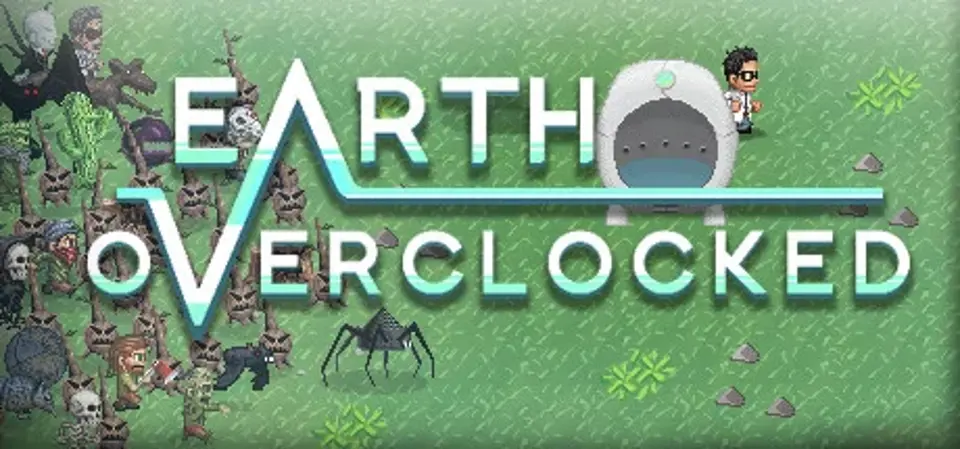
About Earth Overclocked
Earth Overclocked is a twin-stick shooter with rogue-like elements, set in a distorted version of our world where trees are evil, snowmen have lasers, and monsters run amok. After a scientist's time machine explodes while traveling to the past, he finds himself trapped in this hostile, parallel dimension. Now he must reassemble the time machine and escape before this warped reality collapses in on itself. Fortunately, a variety of bizarre and powerful weapons are scattered throughout the land to aid him in his quest. Arm the Scientist with shotguns, boomerangs, cannons, magical swords, and even cheese to help him survive!
With only 20 minutes to explore, blast monsters, and rebuild his time machine; surviving Earth Overclocked isn't going to be easy.
In true rogue-like fashion death is permanent, but procedurally generated environments combined with permanently unlockable weapons, game modes, and abilities makes each playthrough feel like fresh experience. Features
With only 20 minutes to explore, blast monsters, and rebuild his time machine; surviving Earth Overclocked isn't going to be easy.
In true rogue-like fashion death is permanent, but procedurally generated environments combined with permanently unlockable weapons, game modes, and abilities makes each playthrough feel like fresh experience. Features
- Blast monsters by yourself, or team up with up to 3 friends in Local Multiplayer!
- Short, intense burst of gameplay ideal for lunch breaks.
- Challenging, rewarding gameplay with that will have you saying "just one more run".
- Non-linear exploration. Achieve the objectives in any order. (Or follow the game's suggested route.)
- Randomly generated forests, dungeons, and enemies. No two runs are the same!
- Permanent death. Failing results in a reset, but unlockable weapons, abilities, and game modes persist across runs.
- 6 different environments and dungeon themes.
- 4 main classes unlocked from the start, each with different starting weapons and passive abilities.
- 2 bonus unlockable classes.
- 40+ enemy types with unique behaviors and attacks.
- 20+ difficult boss encounters. Fight a different group of bosses every playthrough!
- 30+ gameplay-altering weapon types.
- 35+ pieces of unlockable content which change or add to the experience.
- Stats of both enemies and weapons are procedurally generated.
- An unlockable difficulty mode with even more challenges and rewards.
Score Not confirmed
Released December 4, 2015
Developer
Publisher
Platforms
macOSPC
Earth Overclocked System Requirements
Minimum
- OS:
- Not confirmed
- CPU:
- Not confirmed
- GPU:
- Not confirmed
- RAM:
- Not verified
- Storage Required:
- Not verified
Recommended
- OS:
- Not confirmed
- CPU:
- Not confirmed
- GPU:
- Not confirmed
- RAM:
- Not verified
Explore games and compare your hardware
Related games
Measure performance with a repeatable test · Check SSD and installation space