DOOMBLADE System Requirements | Can My PC Run It?
PC requirements availability
The minimum PC specifications are incomplete in our catalogue. Available information is shown below; missing values have not been estimated.
Recorded platforms: PC
For DOOMBLADE, the following minimum requirement fields still need confirmation: CPU model, GPU model, system RAM with a confirmed unit, available storage, operating system. Check the exact edition and operating system before buying or upgrading hardware.
Report an official requirements source for this edition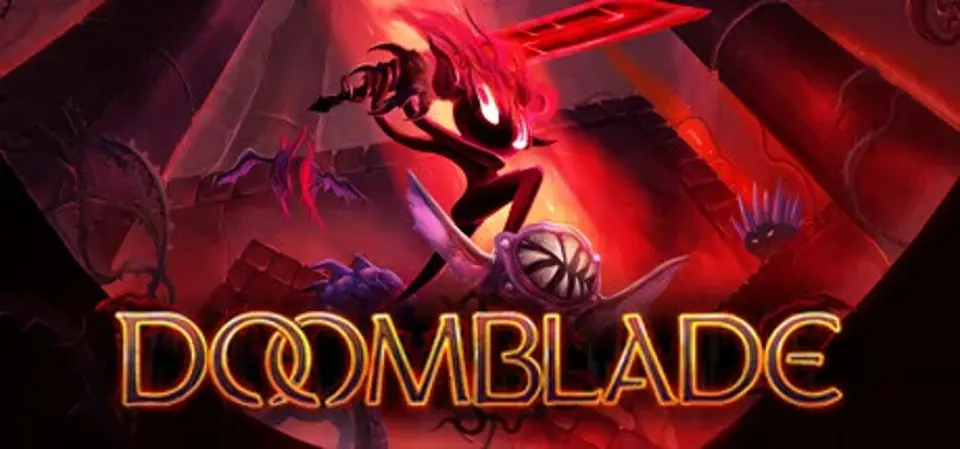
About DOOMBLADE
Lured out of her solitude, Gloom Girl discovers a chamber containing DOOMBLADE: a sentient weapon, trapped and bound for eons. “Doom and Gloom” join forces and begin a quest to regain the blade’s powers and exact vengeance on its captors.
Wielding DOOMBLADE, Gloom Girl can ride through the air to attack enemies. Target monsters to attack them directly, and slay them with DOOMBLADE’s wrath!
The blade hungers for vengeance on the Dread Lords, who bound it in chains and stripped it of its powers. But first, it must regain its strength. Search for demonic shrines, where DOOMBLADE’s powers were hidden and stored by the long dead Gloomfolk, awaiting its return. Then use Doom Drop, Wicked Wind, and the Nightmare Onion to teach your enemies fear.
From the abandoned halls of Gloomhaunt, into the New Wilderwood forest full of untrusting tribesmen, through the Molded Mines with their hedonistic shroom people, and into a technological hellscape known as the Power Sector. Gloom Girl must fight her way through these interconnecting worlds and destroy the monsters within as she hunts down the Dread Lords who imprisoned DOOMBLADE.
https://store.steampowered.com/app/922050/DOOMBLADE/
Wielding DOOMBLADE, Gloom Girl can ride through the air to attack enemies. Target monsters to attack them directly, and slay them with DOOMBLADE’s wrath!
The blade hungers for vengeance on the Dread Lords, who bound it in chains and stripped it of its powers. But first, it must regain its strength. Search for demonic shrines, where DOOMBLADE’s powers were hidden and stored by the long dead Gloomfolk, awaiting its return. Then use Doom Drop, Wicked Wind, and the Nightmare Onion to teach your enemies fear.
From the abandoned halls of Gloomhaunt, into the New Wilderwood forest full of untrusting tribesmen, through the Molded Mines with their hedonistic shroom people, and into a technological hellscape known as the Power Sector. Gloom Girl must fight her way through these interconnecting worlds and destroy the monsters within as she hunts down the Dread Lords who imprisoned DOOMBLADE.
https://store.steampowered.com/app/922050/DOOMBLADE/
Score Not confirmed
Released May 30, 2023
Developer
Publisher
Platforms
PC
DOOMBLADE System Requirements
Minimum
- OS:
- Not confirmed
- CPU:
- Not confirmed
- GPU:
- Not confirmed
- RAM:
- Not verified
- Storage Required:
- Not verified
Recommended
- OS:
- Not confirmed
- CPU:
- Not confirmed
- GPU:
- Not confirmed
- RAM:
- Not verified
Explore games and compare your hardware
Related games
Measure performance with a repeatable test · Check SSD and installation space