Depths of Fear :: Knossos System Requirements | Can My PC Run It?
PC requirements availability
The minimum PC specifications are incomplete in our catalogue. Available information is shown below; missing values have not been estimated.
Recorded platforms: PC, macOS
For Depths of Fear :: Knossos, the following minimum requirement fields still need confirmation: CPU model, GPU model, system RAM with a confirmed unit, available storage, operating system. Check the exact edition and operating system before buying or upgrading hardware.
Report an official requirements source for this edition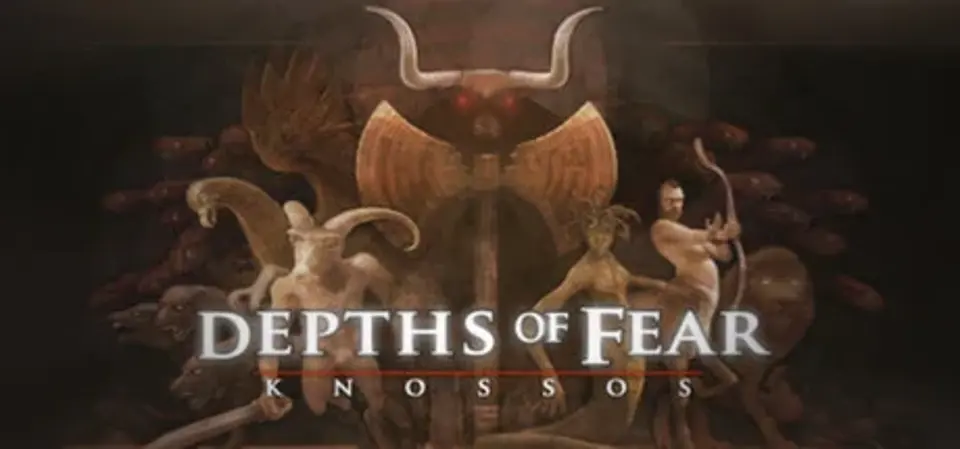
About Depths of Fear :: Knossos
Depths of Fear :: Knossos is a Greek-themed 1st person adventure game with stealth, action and edge-of-your-seat elements within rogue-like procedurally generated levels. You will run. You will hide. You will fight. You will die.
The fate of Athens is in your hands as you step into the role of legendary Greek hero Theseus. Offering yourself for tribute unto the corrupt King Minos, you embark upon a perilous quest deep beneath the city of Knossos to slay the twisted mythical beast - The Minotaur. But, before you can complete this hero's journey you must steadfast the trials of ever-changing creature-filled labyrinths. Collect gold to deal with Daedalus, building up your armory whilst seeking out the mythological medallions that unlock a master sword, the only weapon known that can pierce the Minotaur's cursed flesh. May the gods of Greece be with you, son of Poseidon!
The fate of Athens is in your hands as you step into the role of legendary Greek hero Theseus. Offering yourself for tribute unto the corrupt King Minos, you embark upon a perilous quest deep beneath the city of Knossos to slay the twisted mythical beast - The Minotaur. But, before you can complete this hero's journey you must steadfast the trials of ever-changing creature-filled labyrinths. Collect gold to deal with Daedalus, building up your armory whilst seeking out the mythological medallions that unlock a master sword, the only weapon known that can pierce the Minotaur's cursed flesh. May the gods of Greece be with you, son of Poseidon!
- An ever changing Labyrinth: Each stage in Depths of Fear is crafted to never be the same twice creating a constant state of tension of the unknown.
- Face the Beasts of Ancient Greece: Survive encounters against 8 immortal legendary creatures: Saytr, Cerberus, Centaur, Manticore, Griffin, Medusa, Hydra and the horror of the Minotaur.
- Diverse Gameplay: To survive one must learn when to sneak through the shadows, when to run and when to engage in combat as they attempt to survive each rung down into in the darkness.
- Knowledge is Power: Appease the gods by finding their books and earning their favor for special powers such as lightening from Zeus, Speed from Hermes, Earth shaking might from Poseidon or the illuminating light of Apollo.
- Build an Arsenal: Loot the labyrinths for gold to purchase 8 trusty weapons that range from Blades and Clubs to the Trident and Crossbow. Use these weapons to secure the 8 creature medallions that unlock the only weapon known that can slay the legendary beast Minotaur.
- Challenge the Unknown: When the adventure ends, the game has just begun. Beneath the skull a never-ending challenge awaits in the entrance of the unknown that provides countless replay value. How far down can you make it?
- Unique & Adaptive soundtrack: Featuring a tension-based music system, the soundtrack (recorded with mind-altering 70’s era synthesizers) adapts to your situation.
Score Not confirmed
Released April 4, 2014
Developer
Publisher
Platforms
PCmacOS
Depths of Fear :: Knossos System Requirements
Minimum
- OS:
- Not confirmed
- CPU:
- Not confirmed
- GPU:
- Not confirmed
- RAM:
- Not verified
- Storage Required:
- Not verified
Recommended
- OS:
- Not confirmed
- CPU:
- Not confirmed
- GPU:
- Not confirmed
- RAM:
- Not verified
Explore games and compare your hardware
Related games
Measure performance with a repeatable test · Check SSD and installation space