Creeper World 3: Arc Eternal System Requirements | Can My PC Run It?
PC requirements availability
The minimum PC specifications are incomplete in our catalogue. Available information is shown below; missing values have not been estimated.
Recorded platforms: PC, macOS, Linux
For Creeper World 3: Arc Eternal, the following minimum requirement fields still need confirmation: CPU model, GPU model, system RAM with a confirmed unit, available storage, operating system. Check the exact edition and operating system before buying or upgrading hardware.
Report an official requirements source for this edition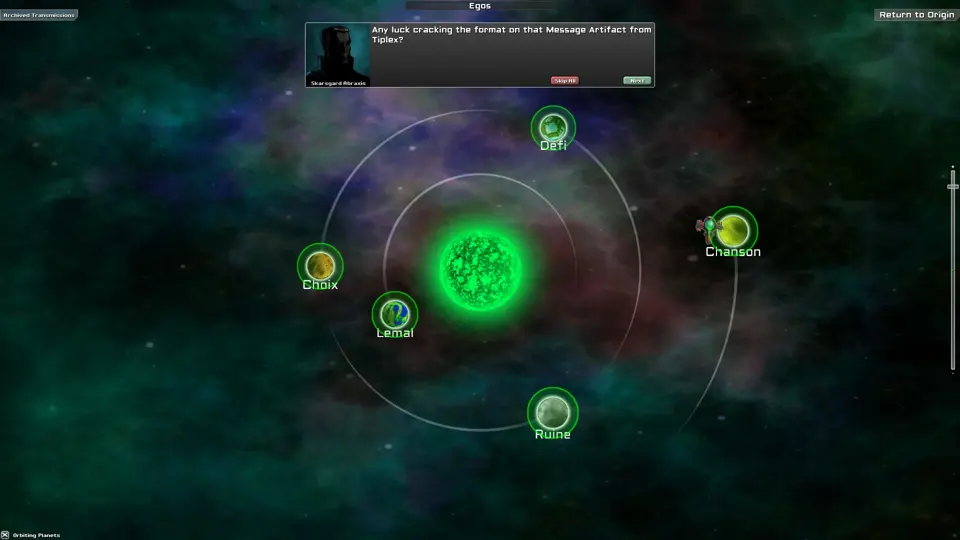
About Creeper World 3: Arc Eternal
Creeper World 3: Cellular automata takes over a strategy simulation. Instead of discrete units that attack your base, a fluid-like substance spreads over the terraformable terrain. Your base, your weapons, your strategy... you must adapt them all.Creeper World 3 bends what it means to be a strategy title. Instead of heavily scripted A.I., players find themselves engaging an enemy with theoretically predictable behavior yet which is shockingly interesting to engage. Players can build fortifications and stick around forever. Players can go for domination, quick strategic kills, or amass huge stockpiles of resources. Some play for speed, others to create art. Tiny maps, large maps, five minute missions, five day missions... the simulation scales to handle all of these scenarios.User generated content is critical and supported at multiple levels in Creeper World 3. Dial up worlds using the DMD (Dial Map Device) and tweak dozens of constraints. Then, play and share the addresses via an on-line database. Create your own maps using the built-in map editor and upload and share on-line. Or, join with thousands of other players and peruse the databases of worlds created by others. Want to create a new weapon, a unit, an enemy, or an effect? Use the built in scripting language to create what you dream. Hundreds of engine commands are exposed and examples abound on the forums and grow daily. You can even take the built in story maps and make your own. In fact, all of the built in story missions were written using the built-in editor and the CRPL scripting language.Some of the high level features are:
- Thermodynamic/fluid physics based play.
- Billions of total missions.
- Story arc with insane and unique enemies.
- Explore hundreds of star systems with thousands of worlds in Prospector missions.
- Hundreds of hand crafted missions in the Alpha Sector.
- Dial up your own mission worlds using the 'Dial Map Device' and share the address.
- Create your own maps using the included map editor.
- Play on maps of variable size, dimension, and shape.
- Script your own enemies and effects using the built in scripting language.
- Terraform the landscape during missions to take the higher ground.
- Discover experimental weapons that devastate the enemy.
- Share thousands of unique maps with an established, enthusiastic on-line community.
- Features a unique, original, and awesome soundtrack.
Score Not confirmed
Released March 27, 2014
Genres
Developer
Publisher
Platforms
PCmacOSLinux
Creeper World 3: Arc Eternal System Requirements
Minimum
- OS:
- Not confirmed
- CPU:
- Not confirmed
- GPU:
- Not confirmed
- RAM:
- Not verified
- Storage Required:
- Not verified
Recommended
- OS:
- Not confirmed
- CPU:
- Not confirmed
- GPU:
- Not confirmed
- RAM:
- Not verified
Explore games and compare your hardware
Related games
Measure performance with a repeatable test · Check SSD and installation space