Cosmic Dust & Rust System Requirements | Can My PC Run It?
PC requirements availability
The minimum PC specifications are incomplete in our catalogue. Available information is shown below; missing values have not been estimated.
Recorded platforms: PC
For Cosmic Dust & Rust, the following minimum requirement fields still need confirmation: CPU model, GPU model, system RAM with a confirmed unit, available storage, operating system. Check the exact edition and operating system before buying or upgrading hardware.
Report an official requirements source for this edition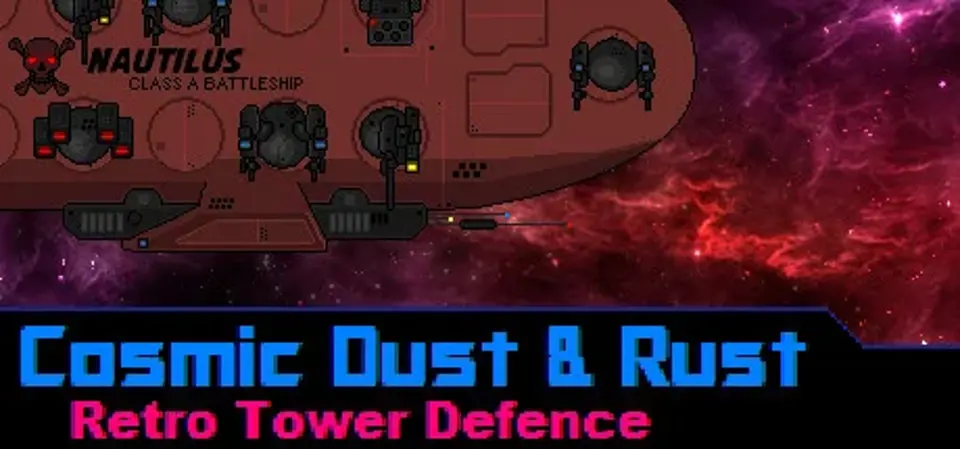
About Cosmic Dust & Rust
Cosmic Dust & Rust is a tower defence game set in space with 2 stages of game play: The first stage is 'Ship management', where the player must upgrade the internal parts of his or her ship. You can build and upgrade turrets and defence systems. You can also undergo side missions.
The second stage is the 'Action sequence', where the player takes manual control of the ship and it's main cannon and super weapon defence systems.
Features:
- Upgrade your ships defence systems.
- Complete secondary missions for bonus aluminium and gold.
- Do battle with a variety of enemy types with destructible parts.
- Build and fire Super weapons. Take the fight to the enemy!
- Dark star fapfap button
The second stage is the 'Action sequence', where the player takes manual control of the ship and it's main cannon and super weapon defence systems.
Features:
- Upgrade your ships defence systems.
- Complete secondary missions for bonus aluminium and gold.
- Do battle with a variety of enemy types with destructible parts.
- Build and fire Super weapons. Take the fight to the enemy!
- Dark star fapfap button
Score Not confirmed
Released May 17, 2016
Developer
Publisher
Platforms
PC
Cosmic Dust & Rust System Requirements
Minimum
- OS:
- Not confirmed
- CPU:
- Not confirmed
- GPU:
- Not confirmed
- RAM:
- Not verified
- Storage Required:
- Not verified
Recommended
- OS:
- Not confirmed
- CPU:
- Not confirmed
- GPU:
- Not confirmed
- RAM:
- Not verified
Explore games and compare your hardware
Related games
Measure performance with a repeatable test · Check SSD and installation space