CityDriver System Requirements (2023) | Minimum & Recommended PC Specs
Quick Hardware Summary
CityDriver requires at least a capable CPU, a dedicated GPU, and 8 GB RAM. For recommended settings, aim for powerful CPU and high-end GPU.
Can I Run CityDriver?
Enter your PC specs to instantly check compatibility
N/A
N/A
About CityDriver
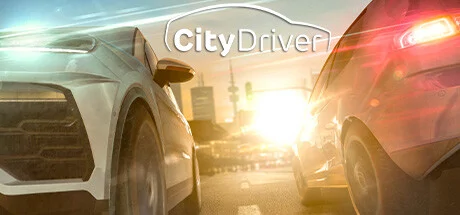
CityDriver offers you the opportunity to explore the streets of Munich with various cars. Master diverse missions and challenges, enjoy the fun of driving your vehicle comfortably or sporty and train your driving behaviour in traffic with other road users - all with authentic vehicle physics.
In Freeplay Mode, you start exploring Munich with any desired vehicle from one of the many locations. The game options are completely customizable here: Do you want the usual traffic rules to apply? Should collisions with AI be activated? You decide! Random missions, which you can accept or decline, will be offered to you during the free play.
Prove your skills in the Driving Practice Training. Do you have so much control over your car that neither slalom nor swerving is a problem for you? CityDriver puts you to the test.
You can drive the following vehicle classes in CityDriver:
The following engine and transmission types are included in the game:
The cars have been recreated in detail and are fully interactive from the inside and outside.
Create your own vehicle with the modding tools! You can share your mods with the community via the Steam Workshop afterwards and thus expand the standard vehicle pool.
In-Game input will be able with the most common devices:
Detailed recreations of landmarks, historic buildings, statues, billboards, traffic signs and other local objects are awaiting you in Munich’s virtual replica. Explore parts of the city centre and use the Autobahn and the state road for faster rides.
In Freeplay Mode, you start exploring Munich with any desired vehicle from one of the many locations. The game options are completely customizable here: Do you want the usual traffic rules to apply? Should collisions with AI be activated? You decide! Random missions, which you can accept or decline, will be offered to you during the free play.
Prove your skills in the Driving Practice Training. Do you have so much control over your car that neither slalom nor swerving is a problem for you? CityDriver puts you to the test.
You can drive the following vehicle classes in CityDriver:
- Sedan
- SUV
- Coupé
- Compact car
- Sports car
The following engine and transmission types are included in the game:
- Internal combustion engine
- Electric engine
- Automatic transmission
- Semi-automatic transmission
- Manual transmission
The cars have been recreated in detail and are fully interactive from the inside and outside.
Create your own vehicle with the modding tools! You can share your mods with the community via the Steam Workshop afterwards and thus expand the standard vehicle pool.
In-Game input will be able with the most common devices:
- Mouse and keyboard
- Steering wheel, pedals and gear lever
- Game controller
Detailed recreations of landmarks, historic buildings, statues, billboards, traffic signs and other local objects are awaiting you in Munich’s virtual replica. Explore parts of the city centre and use the Autobahn and the state road for faster rides.
- Close to reality vehicle physics, graphics and sounds
- Choose from various vehicle classes with electric or combustion engines, automatic or manual transmission
- Authentic driving in a real city with actual traffic rules
- Realistic AI behaviour with diverse vehicles and pedestrians
- A 1:1 scale area of Munich's city centre and inner-city highway / freeway / state road
- Refuel or charge your car at petrol stations or charging stations
- Master various missions in driving practice as well as in the traffic training area
- Freeplay Mode with varied missions and everyday traffic situations
- Moddability: You can create your own cars or modify existing cars and share your mods with the community
Score N/A
Released 6/5/2023
Genres
Developer
Publisher
Platforms
CityDriver System Requirements
Minimum
- OS:
- -
- CPU:
- Not specified
- GPU:
- Not specified
- RAM:
- Not specified
- File Size:
- -
Recommended
- OS:
- -
- CPU:
- Not specified
- GPU:
- Not specified
- RAM:
- Not specified
Can I run CityDriver on my PC?
To run CityDriver on PC you need at minimum a Not specified processor, a Not specified graphics card, and Not specified of RAM running on Windows 10. For the best experience at recommended settings, upgrade to a Not specified CPU and Not specified GPU.
What GPU do I need to run CityDriver?
The minimum GPU required to run CityDriver is the Not specified. For smooth gameplay at high graphics settings, a Not specified is recommended.
How much RAM does CityDriver require?
CityDriver requires a minimum of Not specified RAM. For the recommended experience, Not specified of RAM is suggested.
How to check if your PC can run CityDriver
- Check your CPU: Compare your processor against the minimum requirement: Not specified.
- Check your GPU: Your graphics card should meet or exceed: Not specified.
- Check your RAM: You need at least Not specified of RAM installed.
- Check storage: Ensure you have at least Not specified of free disk space.
- Use our tool above: Select your RAM in the "Can I Run It?" box to get an instant result.